
You will need to disable your Ad Blocker in order to create ads within L2L without problems.
Please know that each Ad Blocker is different, we would suggest you check with your adblocker directly if you have any questions on how to disable or whitelist a website.
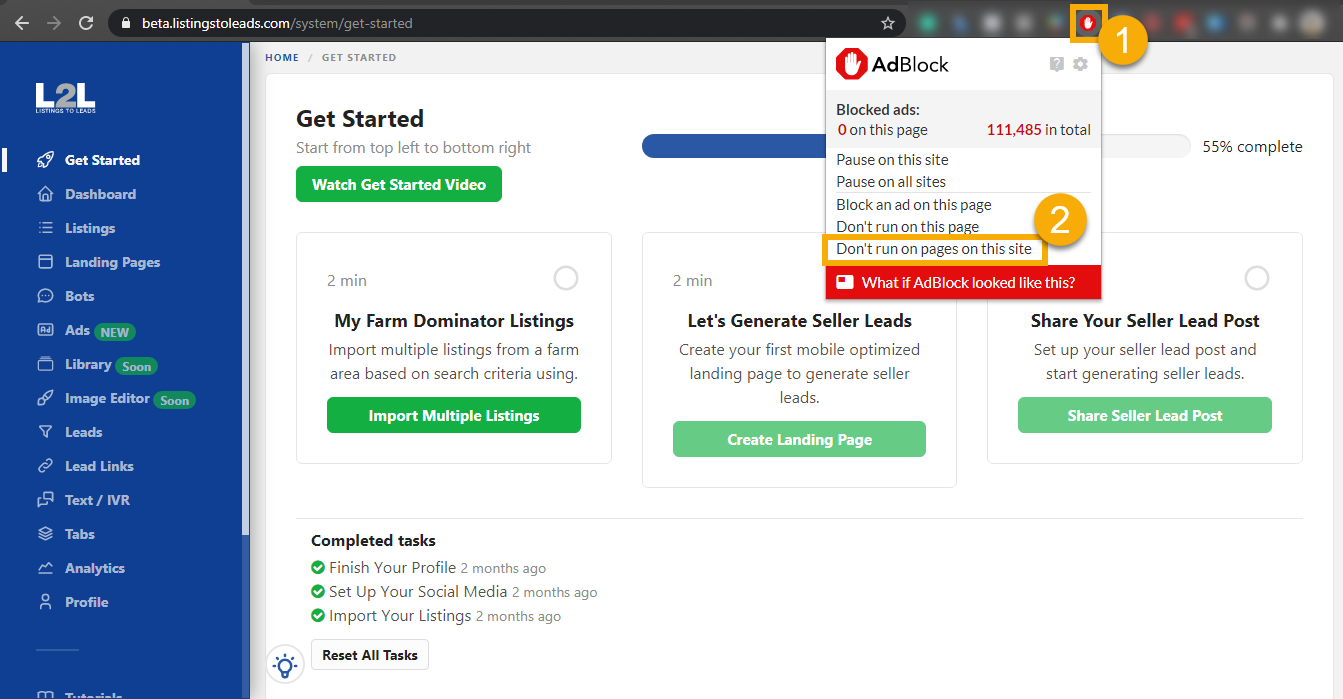
If you are using AdBlock, follow the steps below:
- Click the AdBlock button in the upper corner of your browser toolbar
- Select Don't run on pages on this site.
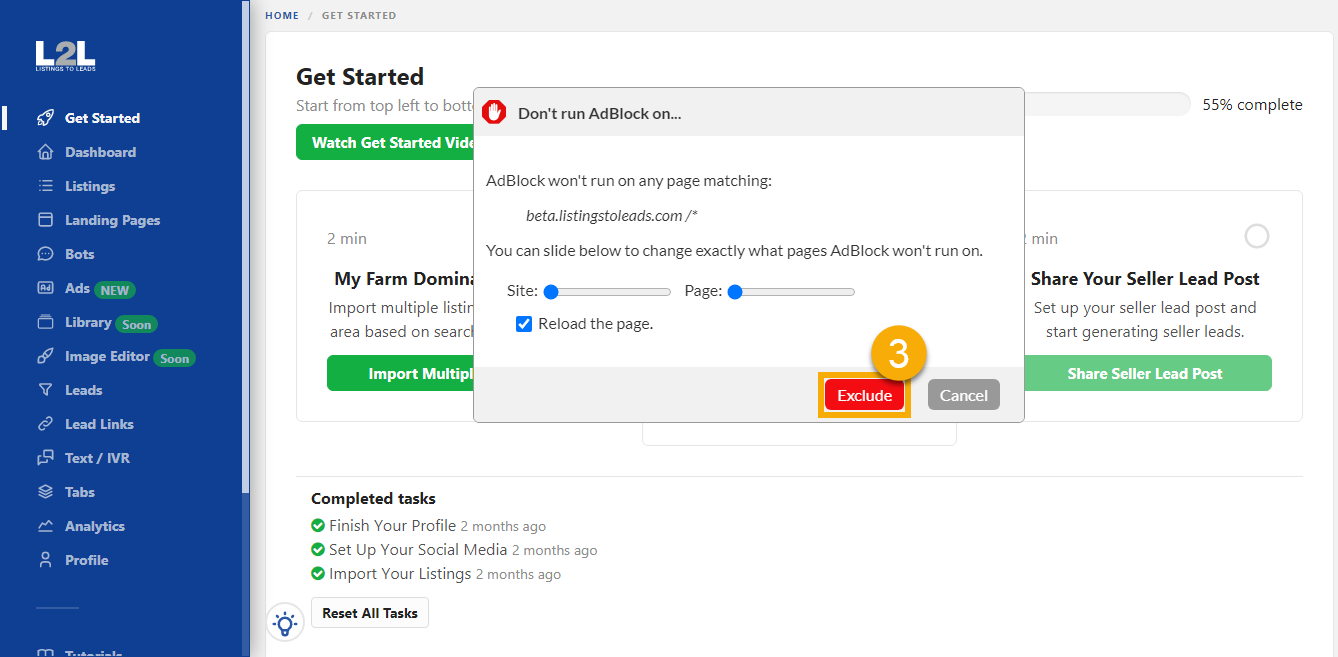
- In the Don't run AdBlock on...window, click Exclude. The page reloads automatically.
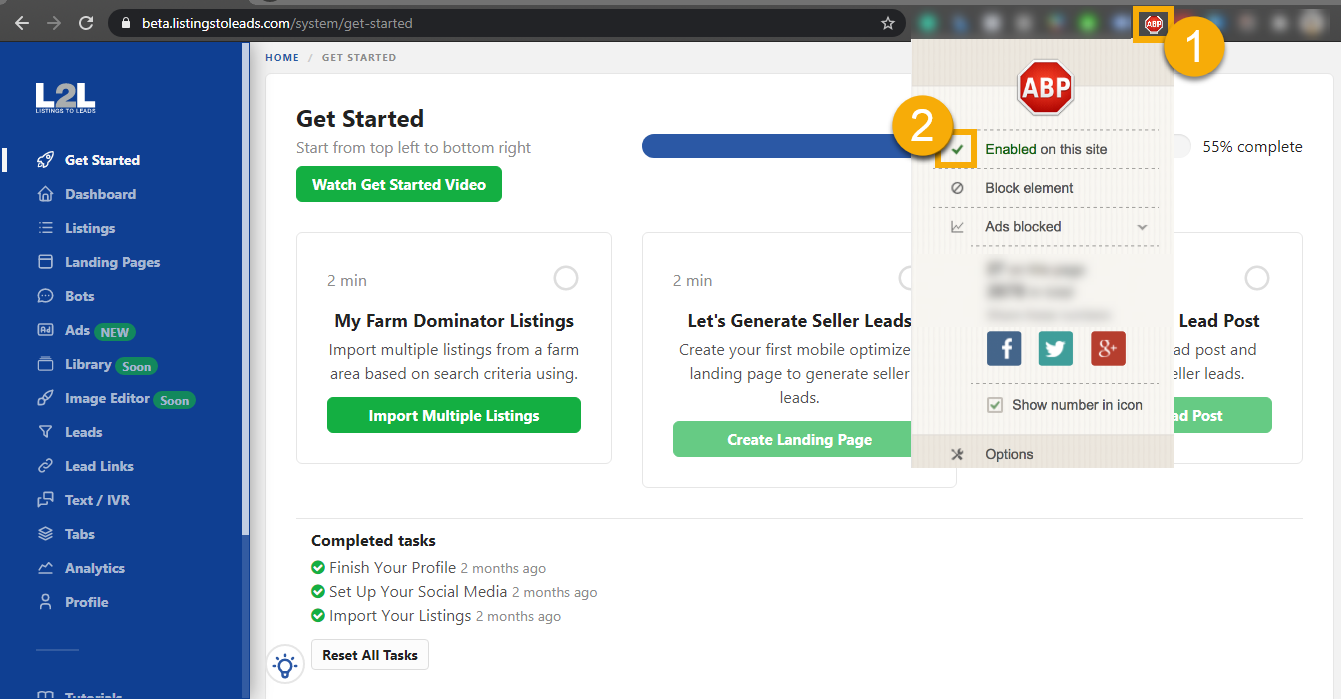
If you are using AdBlock Plus, follow the steps below:
- Click the AdBlock Plus button in the upper corner of your browser toolbar
- Click the checkmark to disable/enable on this site.
- Refresh the page and proceed to create an ad.
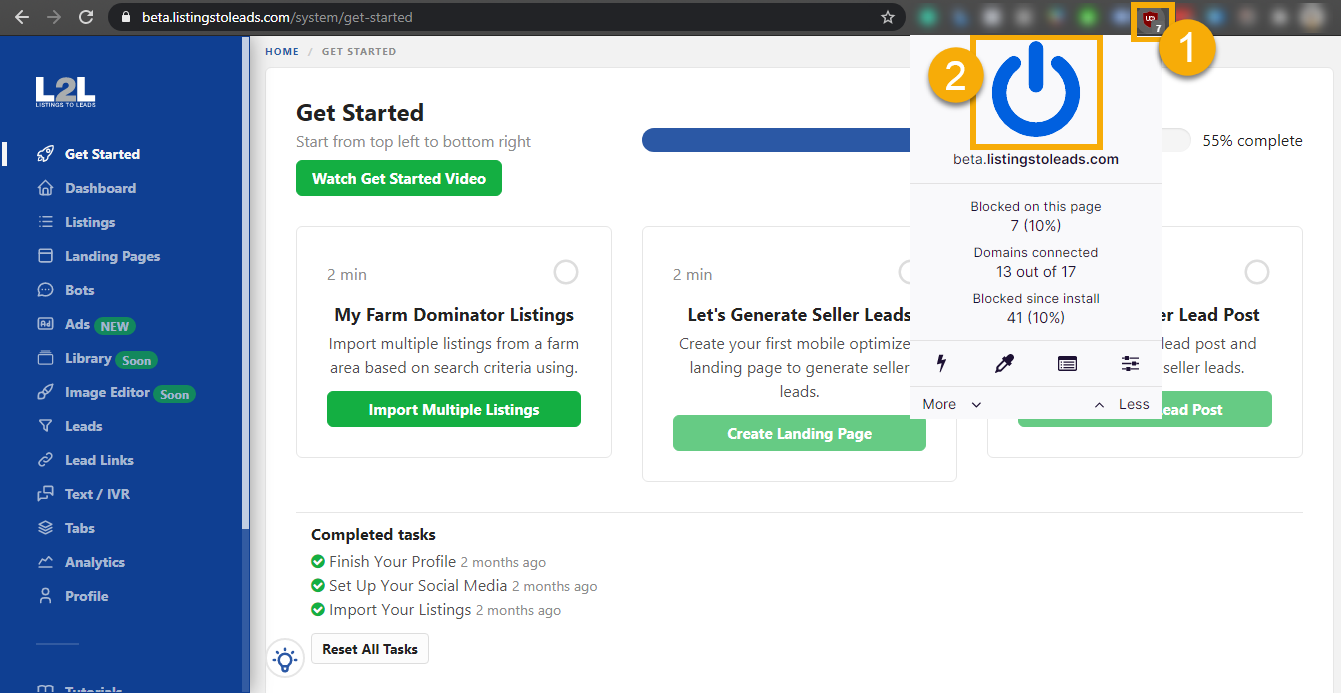
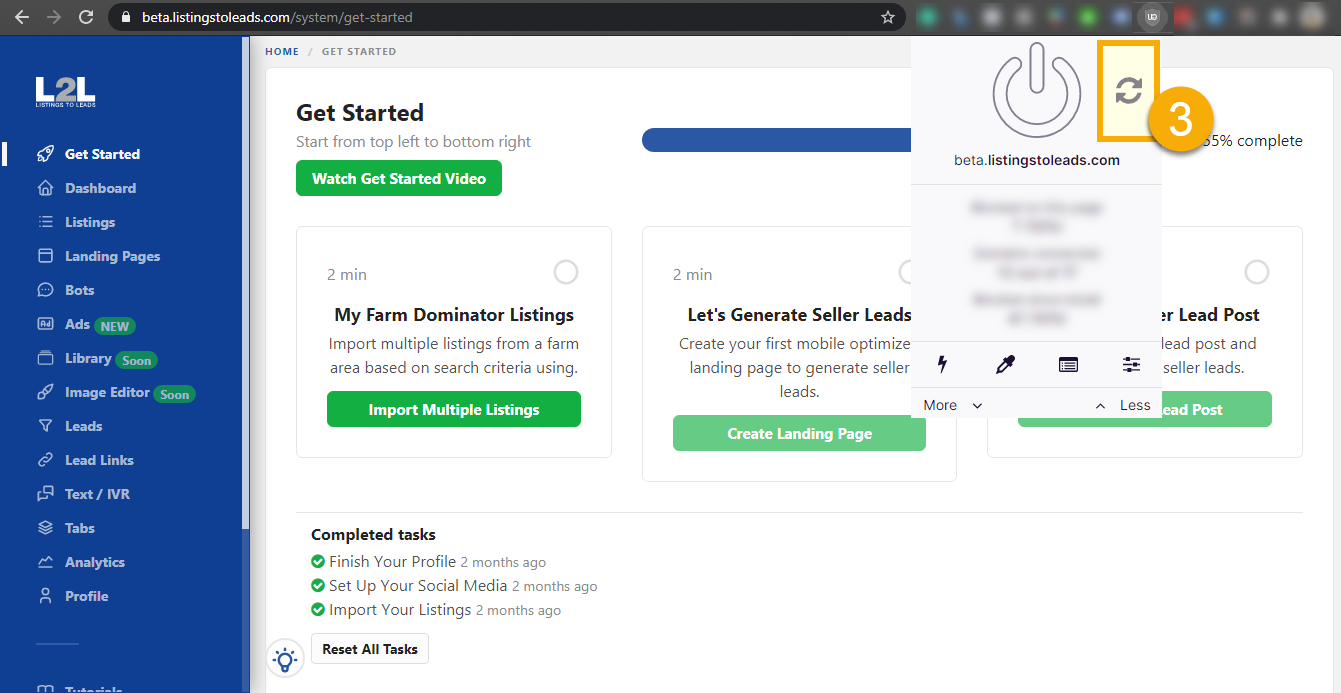
👀 If you are using uBlock Origin, follow the steps below:
1. Click the uBlock Origin button in the upper corner of your browser toolbar.
2. Click the blue turn on/off icon.
3. Refresh the page by clicking the Refresh button
Not a Listings-to-Leads user?
Find out more about our proven track record, or start your FREE Trial today!