
Custom landing Page, Free Home Value, and Property Valuation Plus allow us to add a background video or a content video.
In this tutorial, you will find the difference between those two and how to add them.
1. Background Video
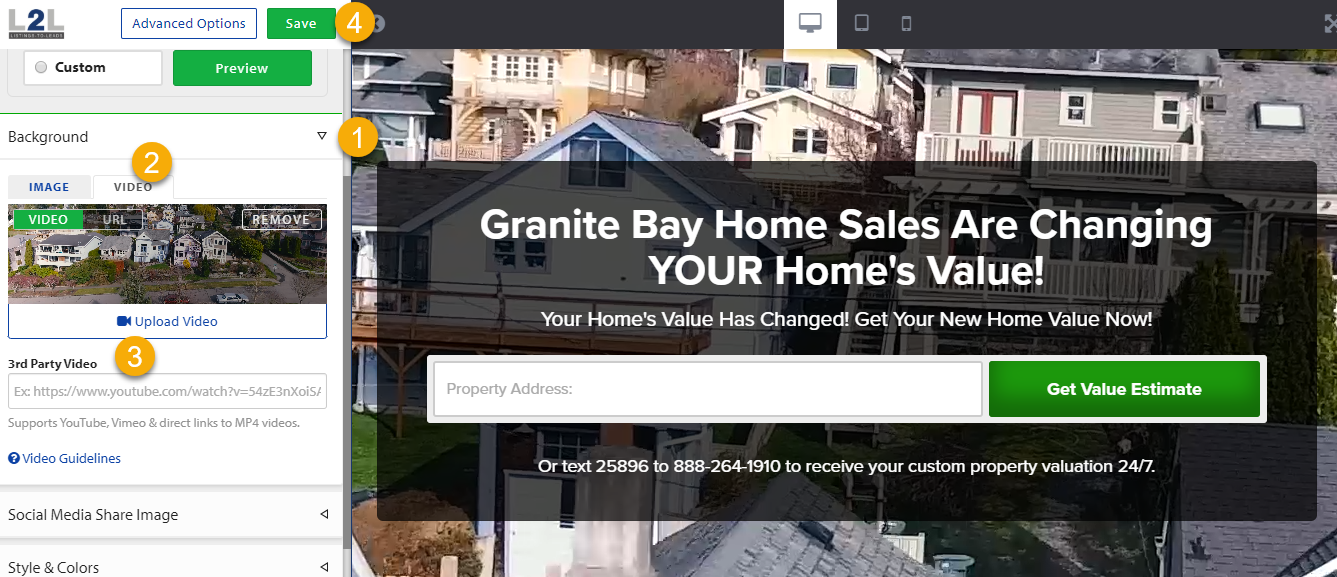
The purpose of these videos is to be used as a background, to enforce the landing page form not to distract from it.
Background videos are always muted in order for the autoplay to work. We do this in order to comply with the latest browser policies that prevent auto-playing videos without the user's consent.
To add one you need to click on the "Edit" button of the Landing Page (pencil icon) then select "Background" on the left side and upload the video, you can also add a youtube link to import the video.
2. Content Video
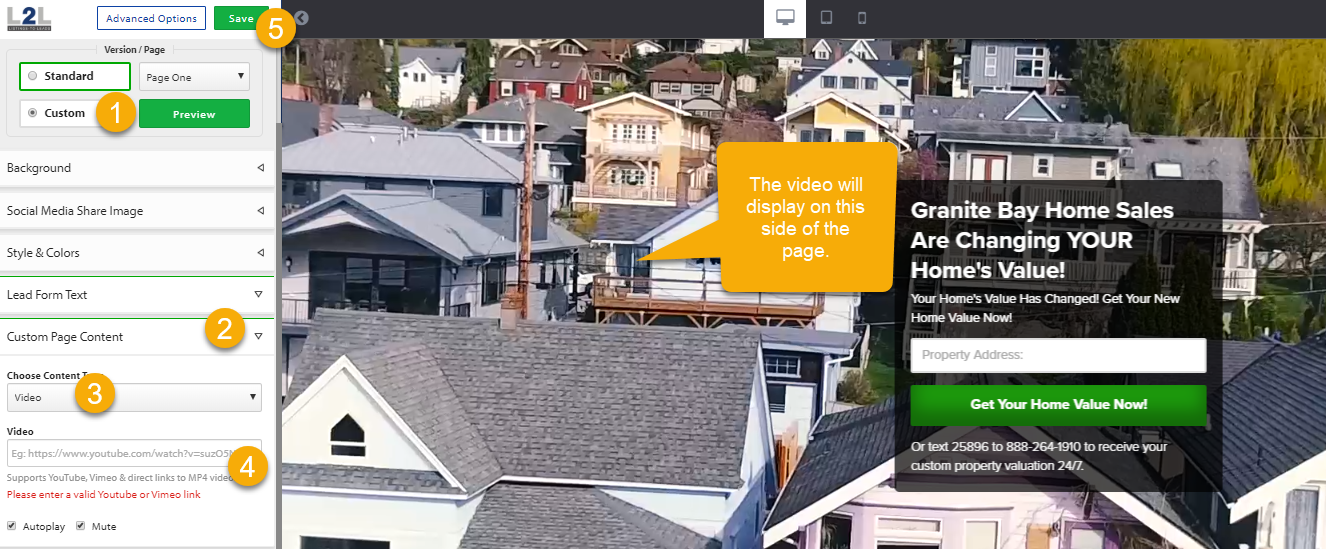
- Click "Custom" on the version page
- Click Custom page Content.
- Select video.
- Add the video and select the settings "Autoplay" "Mute"
- Click Save.
Find out more about our proven track record, or start your FREE Trial today!