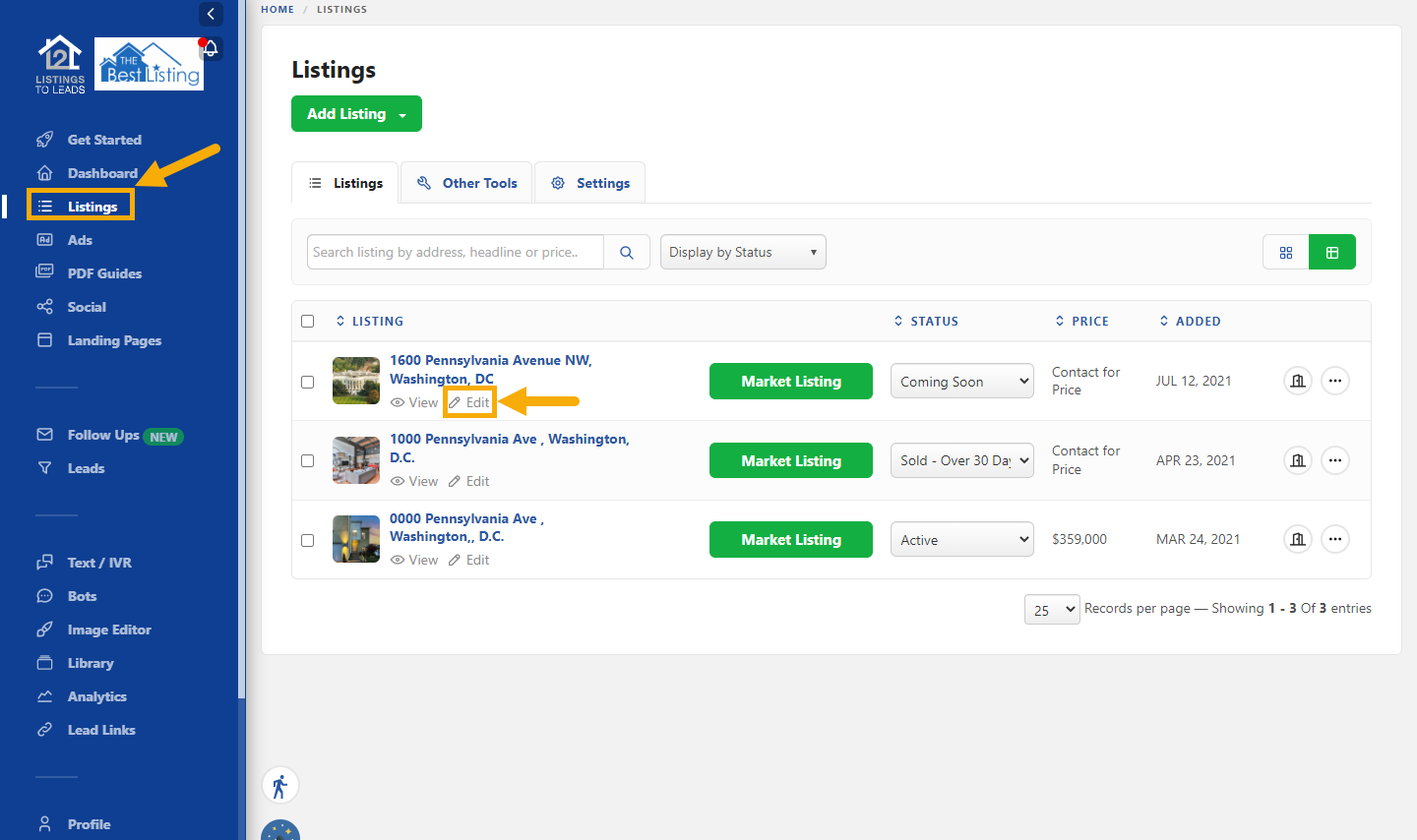
Click the 'Listings' tab ➤ Click the 'Edit' icon for the original version of the listing.
MERGE LISTINGS is useful when you add a listing manually or grab it, and later it comes in from a data feed!
In order to not lose all the links you are already using, MERGE the listings!
See the screenshots and video below.
1. Click 'Edit' for the listing you want to merge.
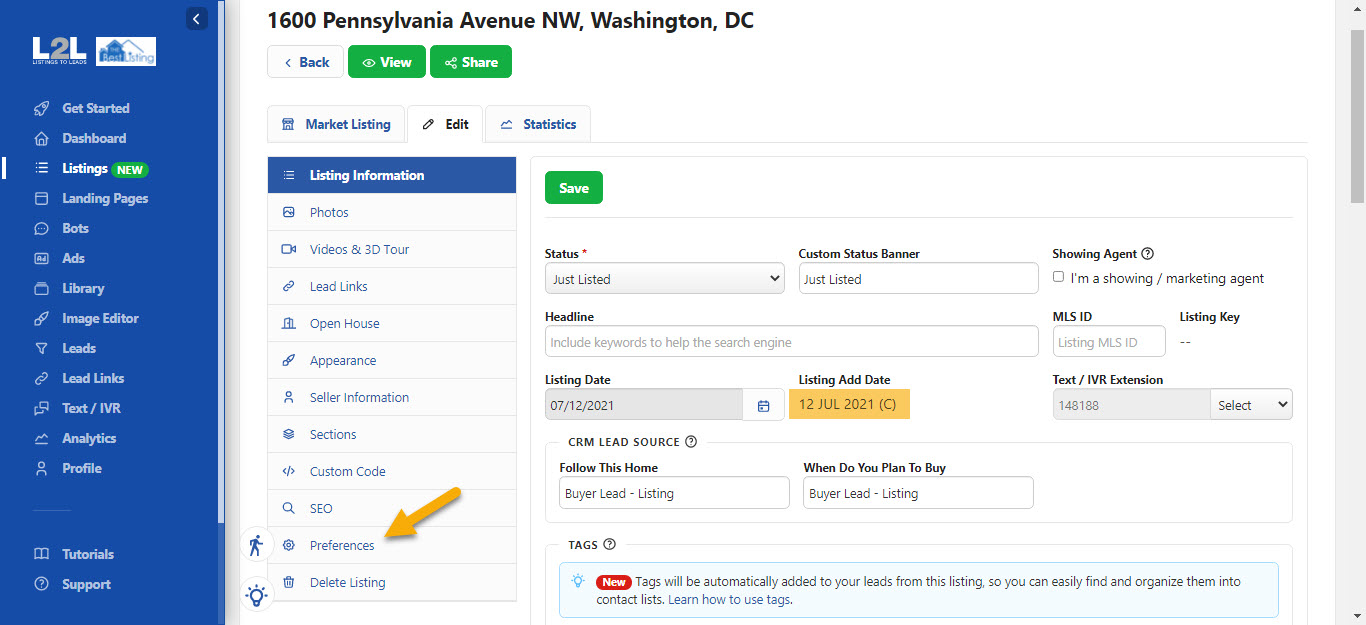
2. If the value is (D) instead of (G) or (C) then go back to the main 'Listings' page and click the 'Edit' icon for the other version of the same listing. If the value is (G) or (C) you are in the right place!
3. Click 'Preferences'
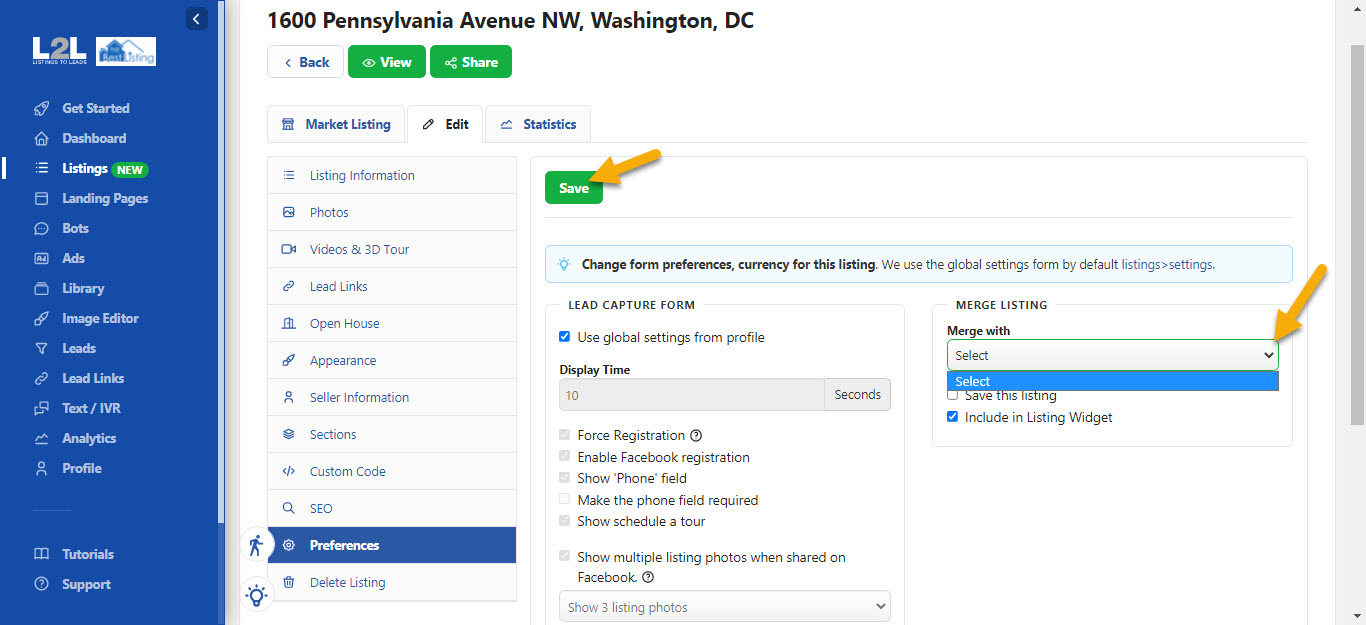
4. Use the drop-down to find the proper address, select, and click the green 'Save' button!