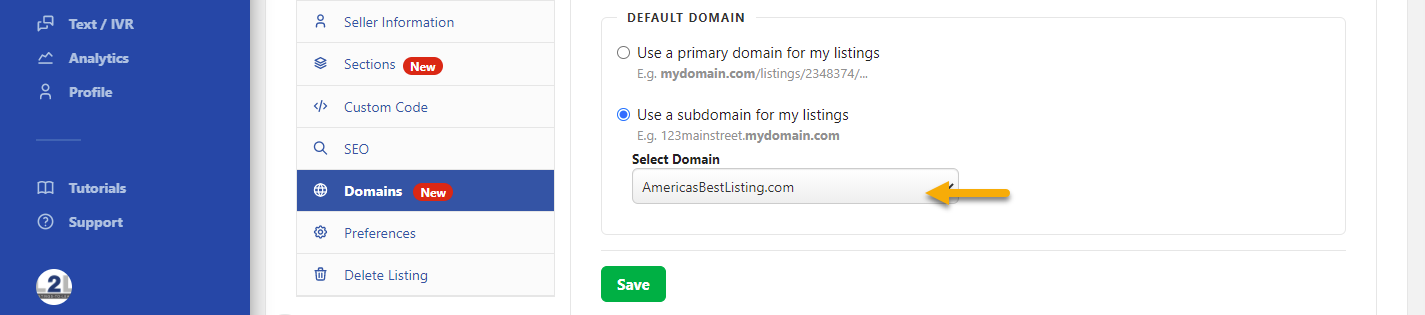
Go To Listings > Edit > Domains
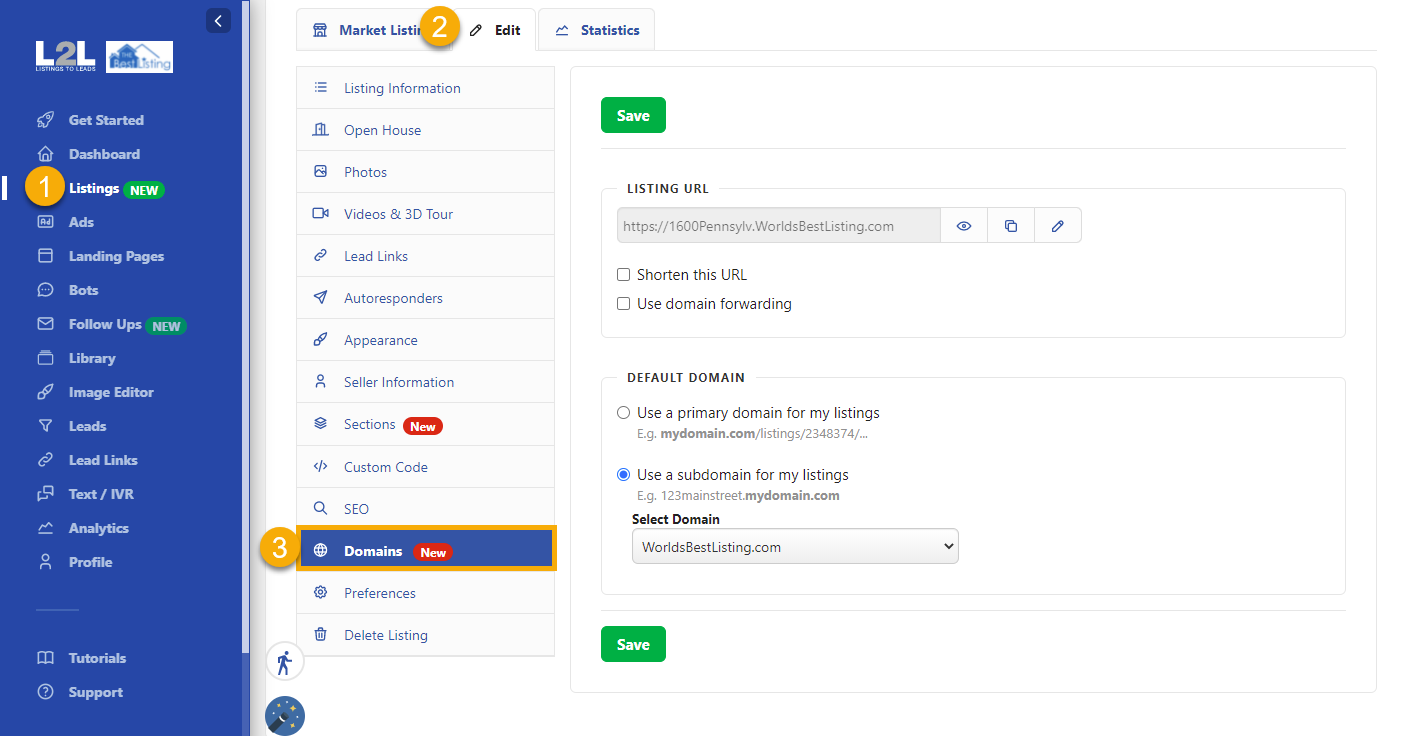
In Listing URL you will find the current address of your listing
- You can click on the eye icon to View the Listing
- You can copy the link
- You can click on the pencil to edit the URL
- You can shorten the URL
- If you are forwarding a domain please check the 'Use domain forwarding
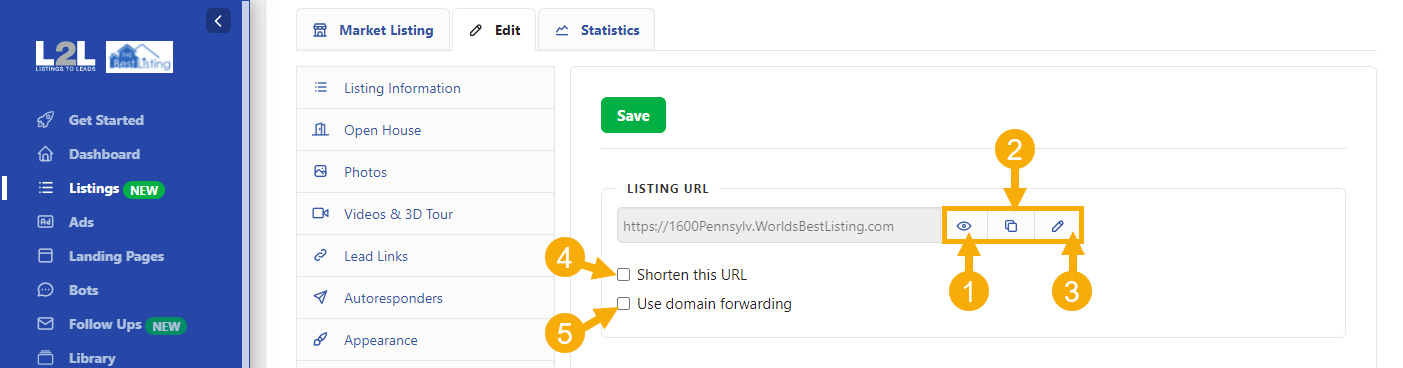
In Default Domain
At the moment you can select the subdomain you want for your Listing by clicking on 'Select Domain'