
You need to have a Home Valuation BOT already created before following the steps below
🎯 See Video Walk Through at Bottom of This Post!
🎯 See Video Walk Through at Bottom of This Post!
1. Go to the ‘Bots’ tab in the navigation bar.
2. Your Home Valuation Bot will appear in this section, otherwise, you need to create a Home Valuation BOT (Check our ‘How to Set Up BOTs’ tutorial).
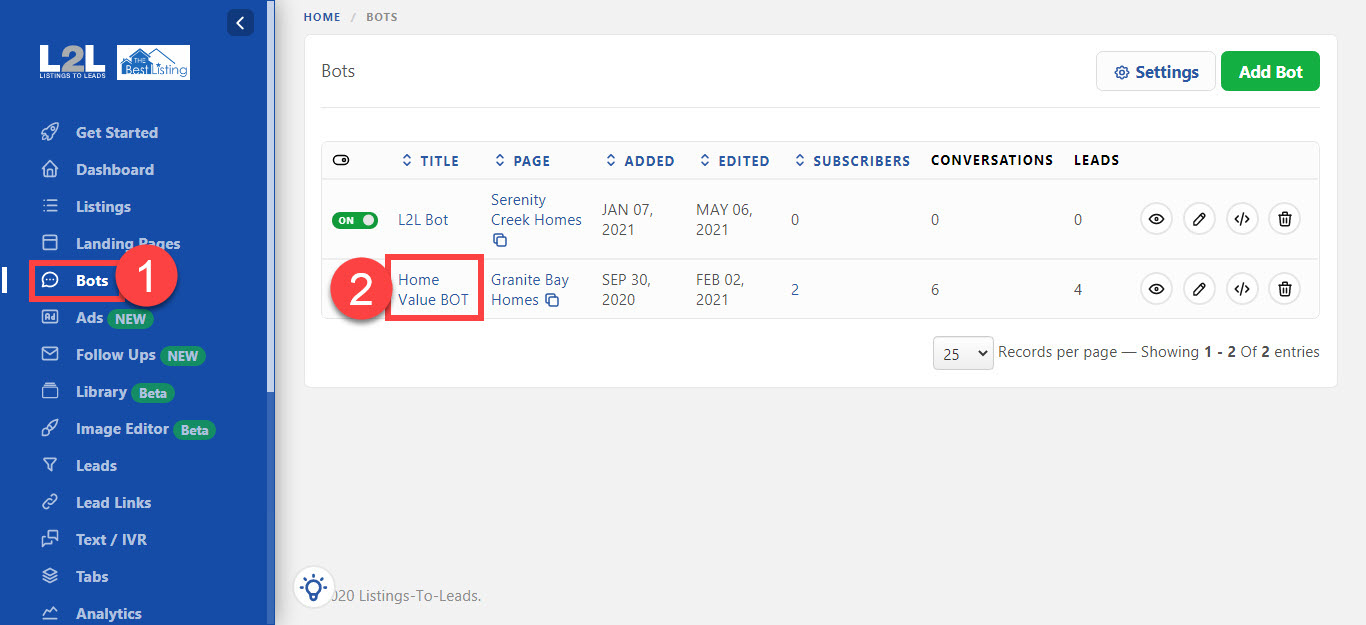
2. Your Home Valuation Bot will appear in this section, otherwise, you need to create a Home Valuation BOT (Check our ‘How to Set Up BOTs’ tutorial).
3. Go to your Facebook Ads Manager and click the green ‘Create’ button.
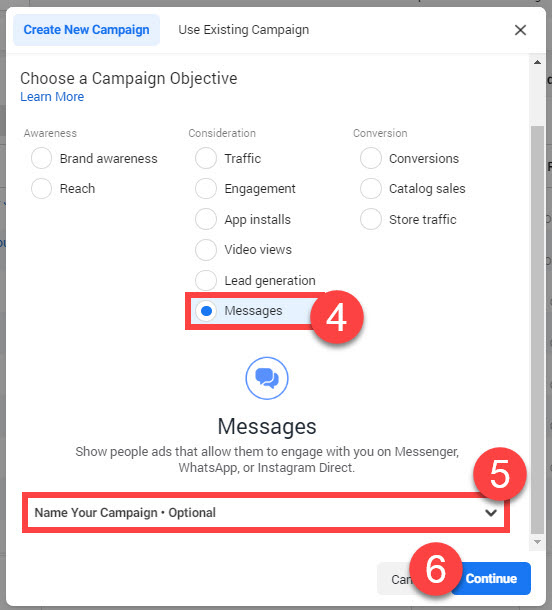
4. Select ‘Messages’ from the menu.
5. Scroll down a bit and enter the name of the campaign.
6.Click ‘Continue’.
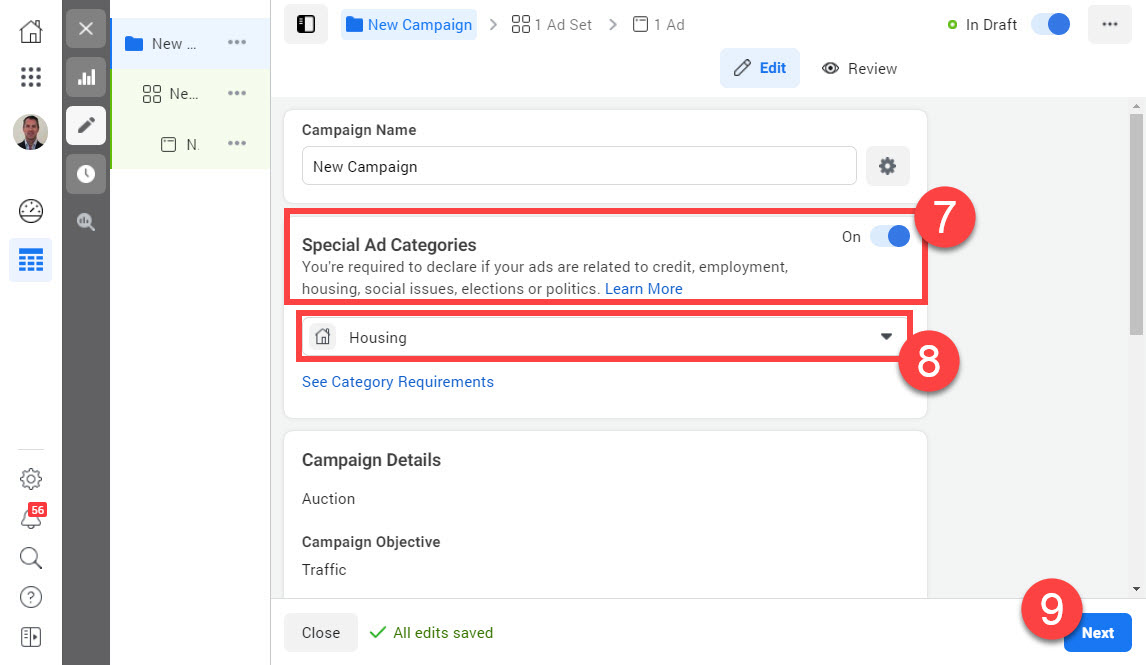
7.Turn ON the ‘Special Ad Category’ option
8. Select the ‘Housing’ option from the dropdown menu.
9. Click ‘Next’
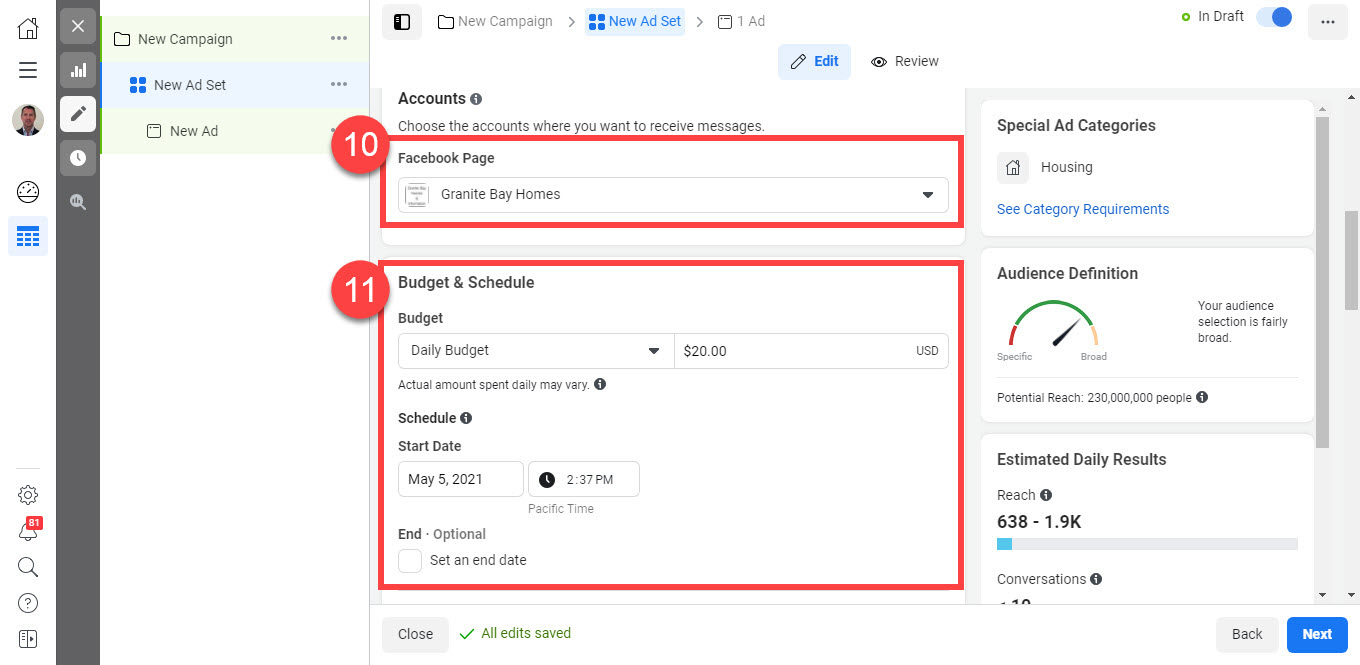
- Select the Facebook page that has the BOT installed.
- Adjust the Budget and Dates as needed.
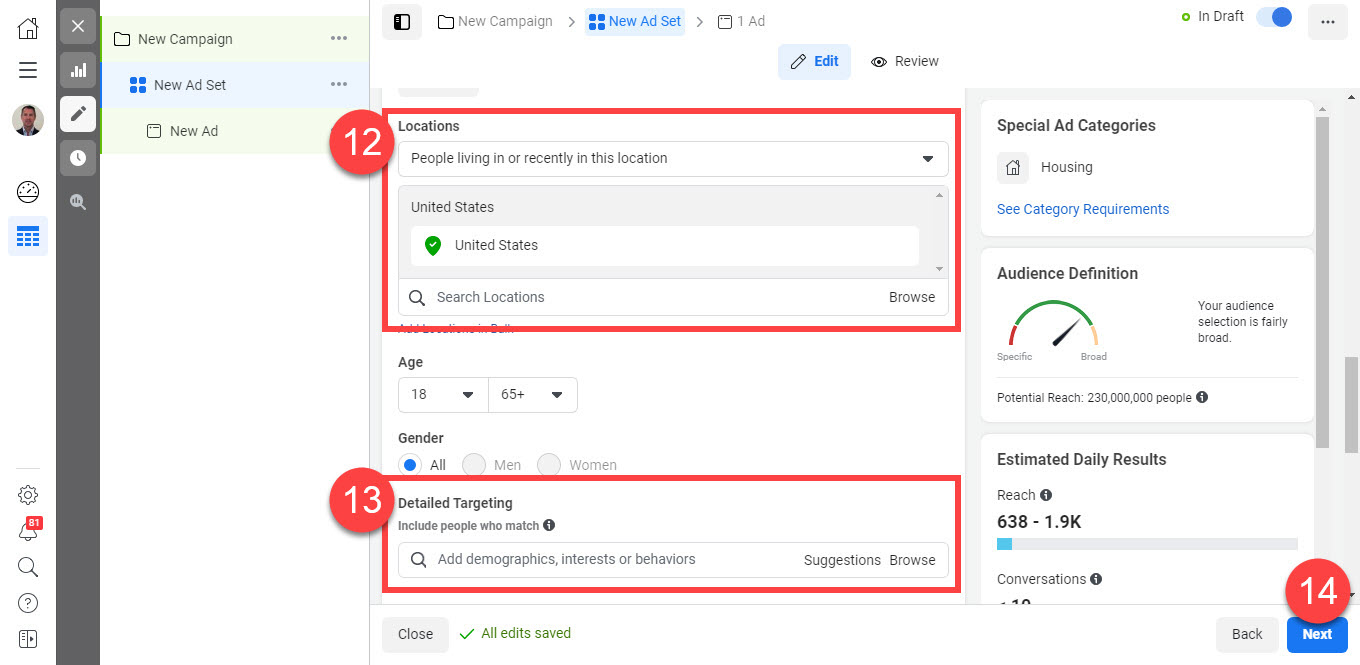
- Enter the Location you would like to target.
- Add real estate interests in the Detail Targeting field (Optional).
- Click ‘Next’
- Upload the image you would like to use.
- Add an Ad description and Headline.
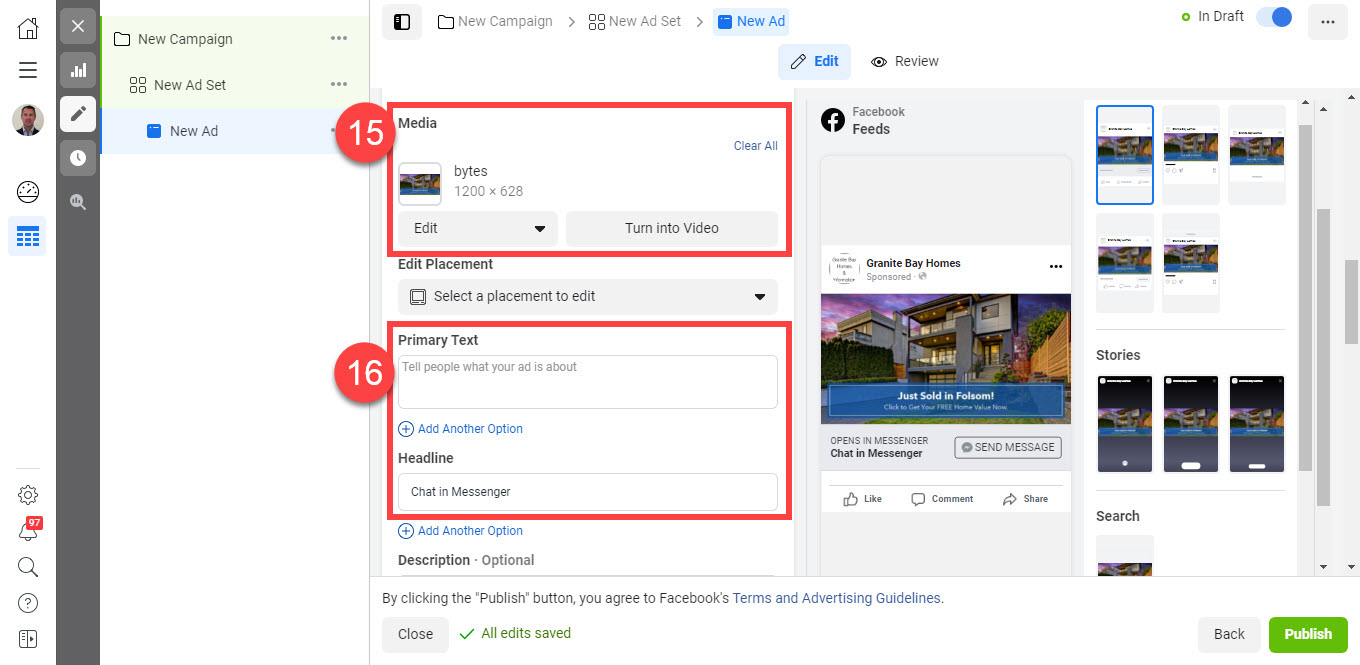
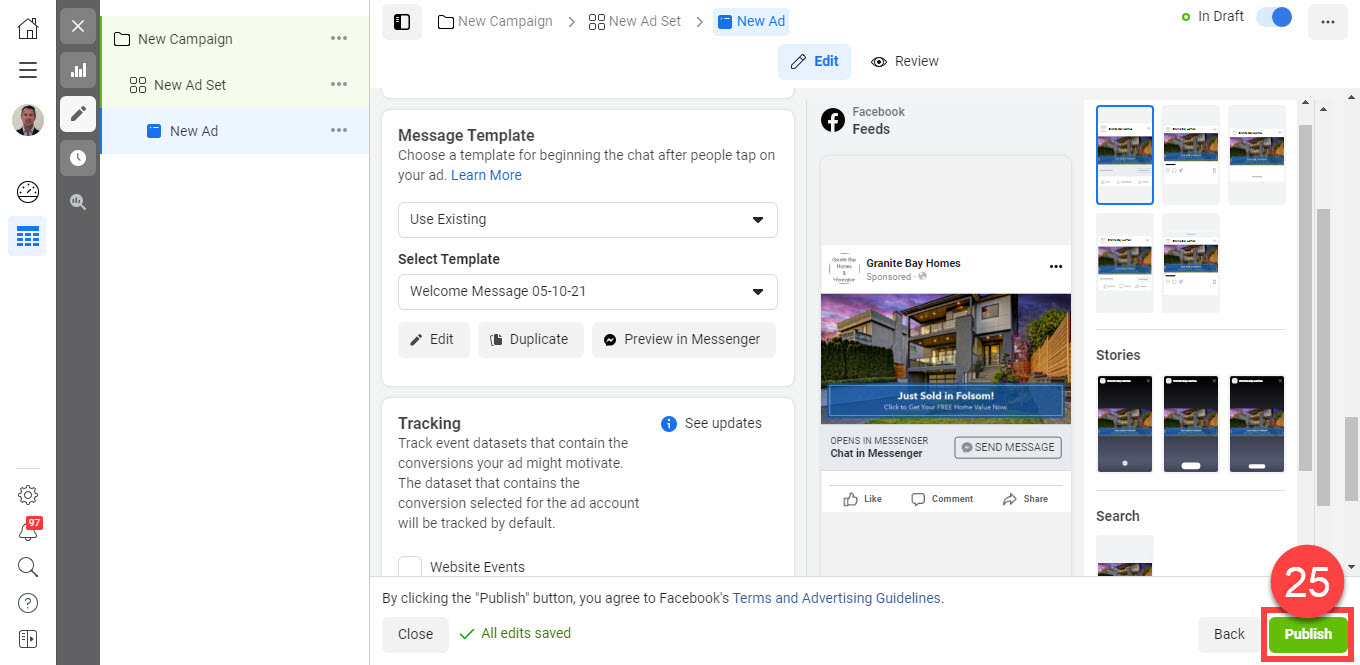
- Go to the ‘Messenger Template’ section and click ‘Create’.
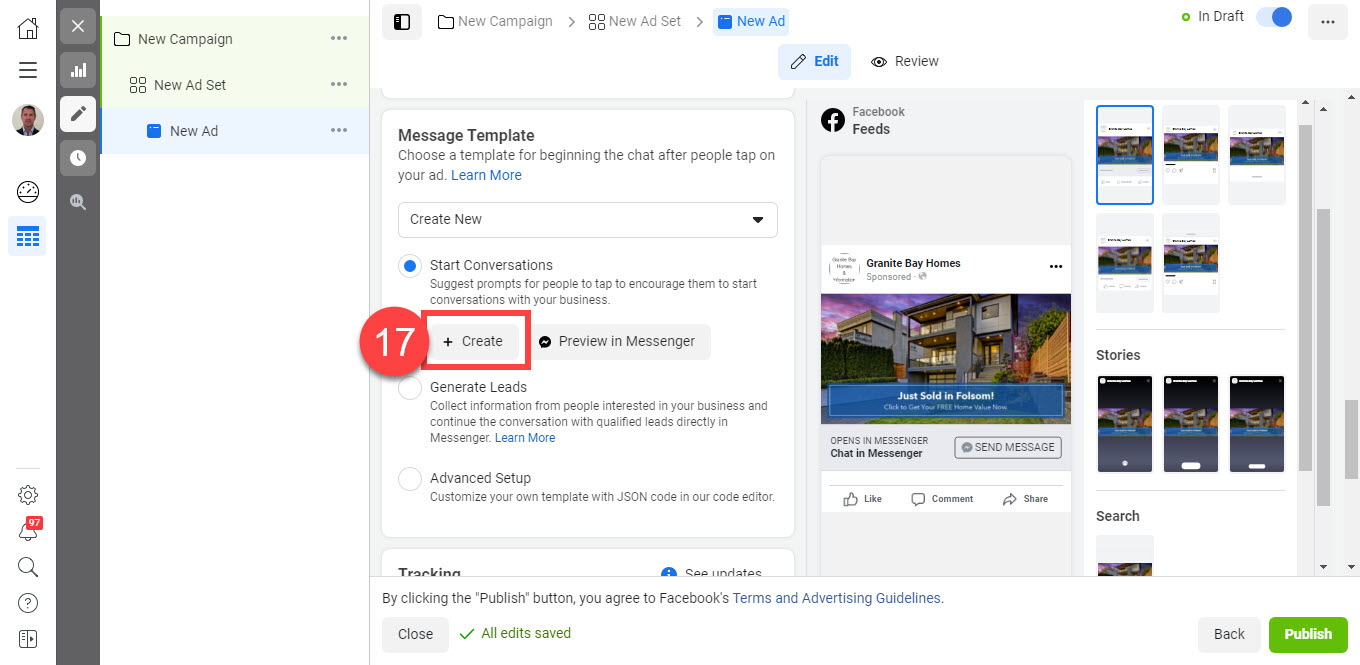
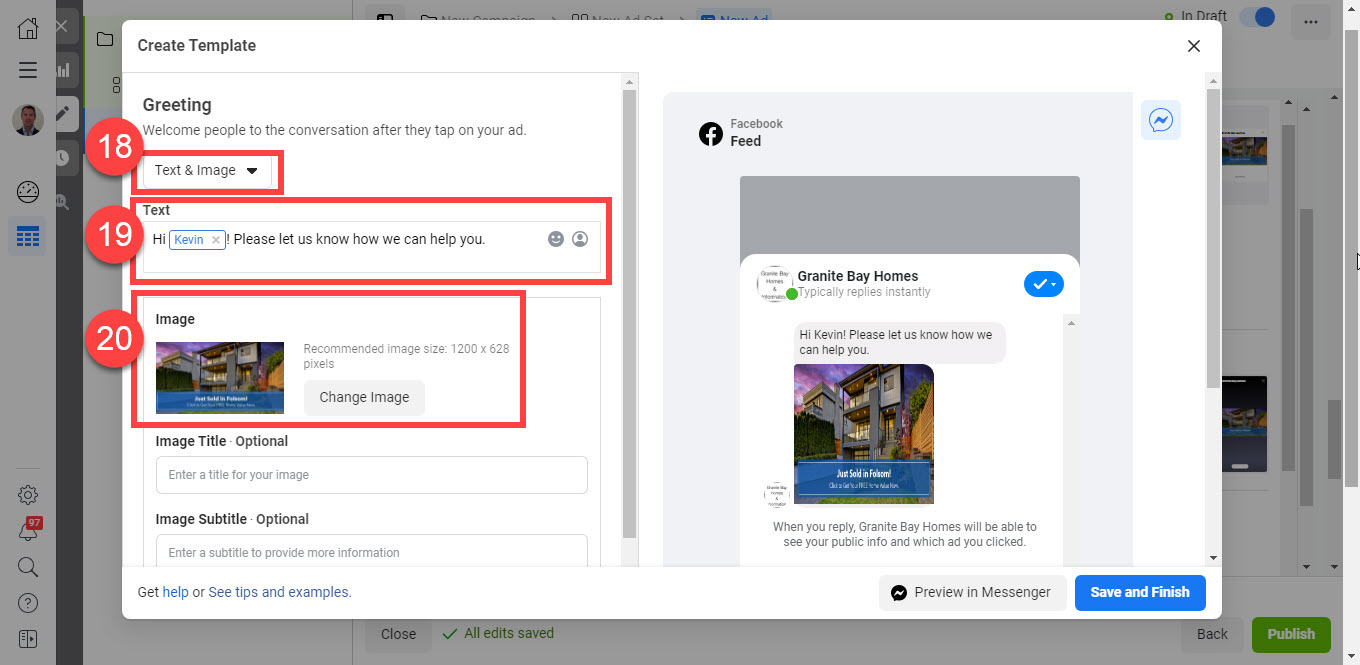
- A popup will appear in which you will be able to create an automated message. Select the format you would like to use. NOTE: We recommend using the ‘Text & Image’ option.
- Add a Greeting message.
- Upload the image of the listing and add a title (optional).
- Scroll down until the ‘Customer Actions’ section, and select ‘Quick Replies’ from the dropdown menu.
- Enter a quick reply in the Reply Textfield.
- Select the ‘Connect Your Bot’ option from the dropdown menu and enter ‘Valuation’ in the Bot Payload field.
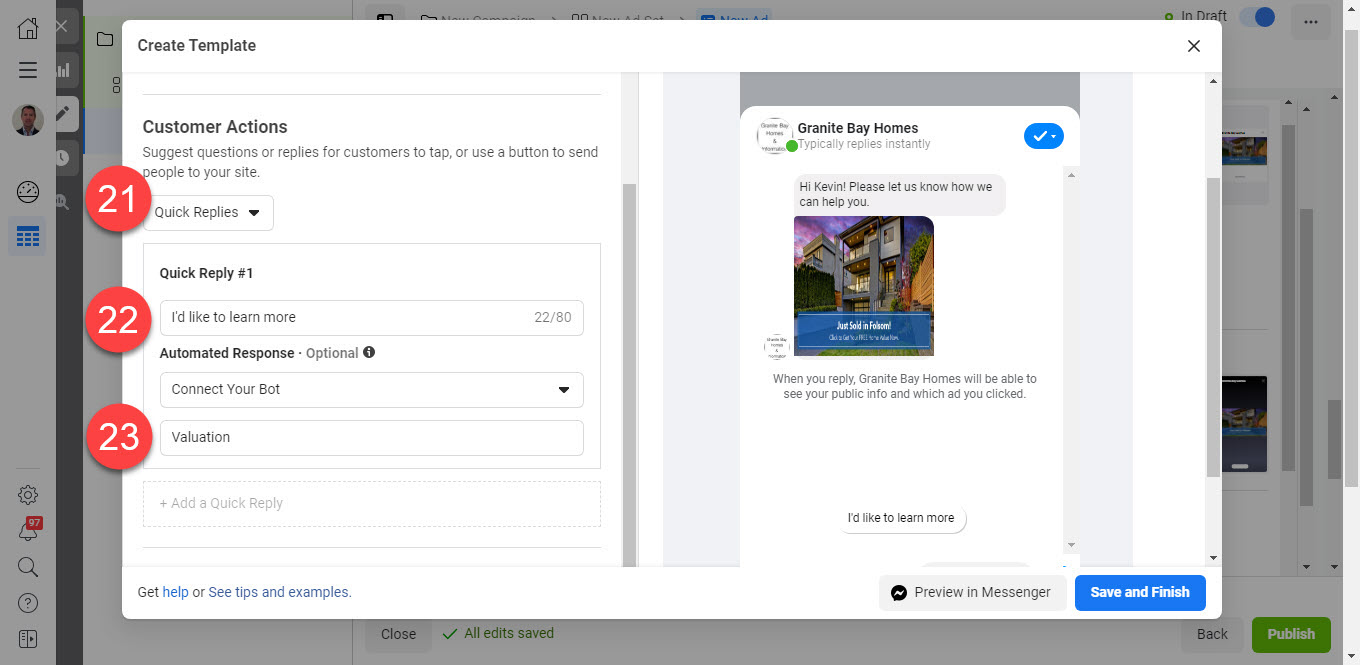
- Feel free to click ‘Preview in Messenger’ button to test the BOT (A message will be sent to your Facebook account. You can test the conversation within Messenger) or click ‘Save and Finish’
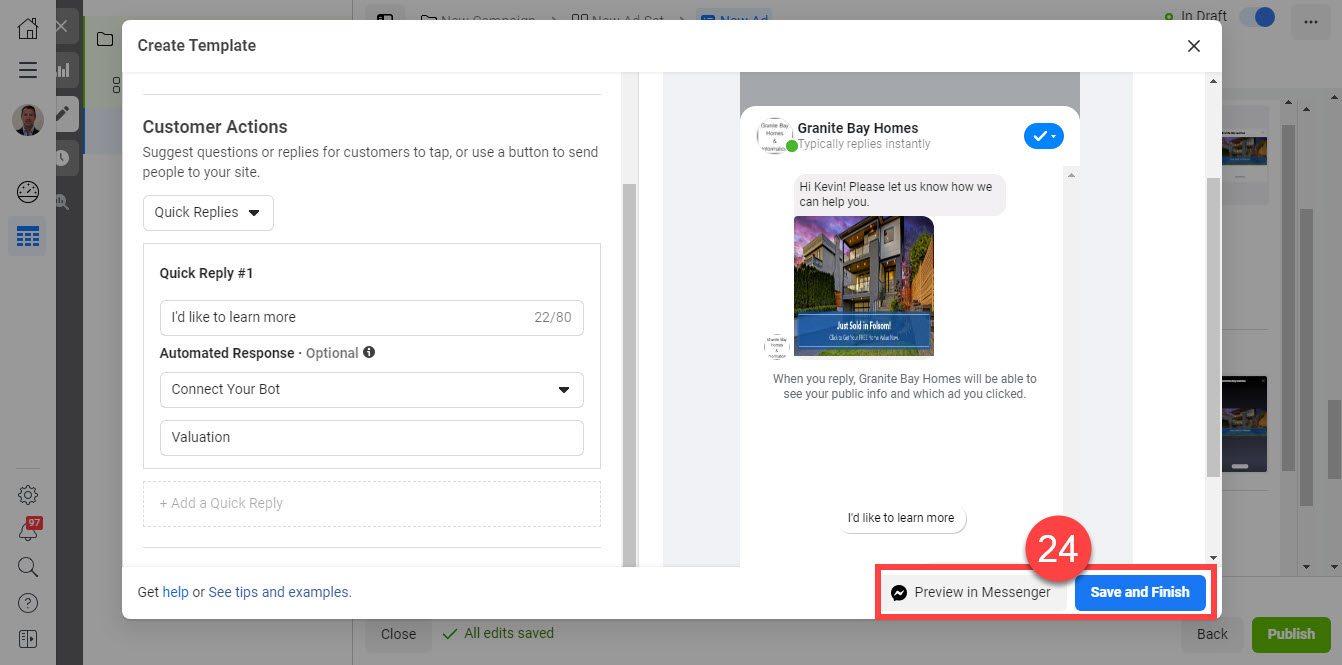
- Click ‘Finish’. Your ad will be published once Facebook approves it.
🎯 MESSENGER SET UP VERSION 2
1. Click 'Custom' under Messenger Setup
2. Click 'Create Message'
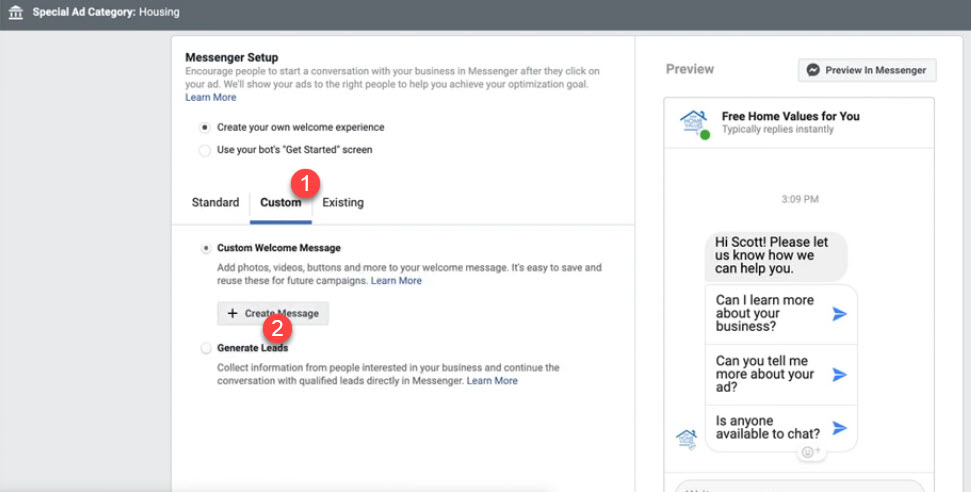
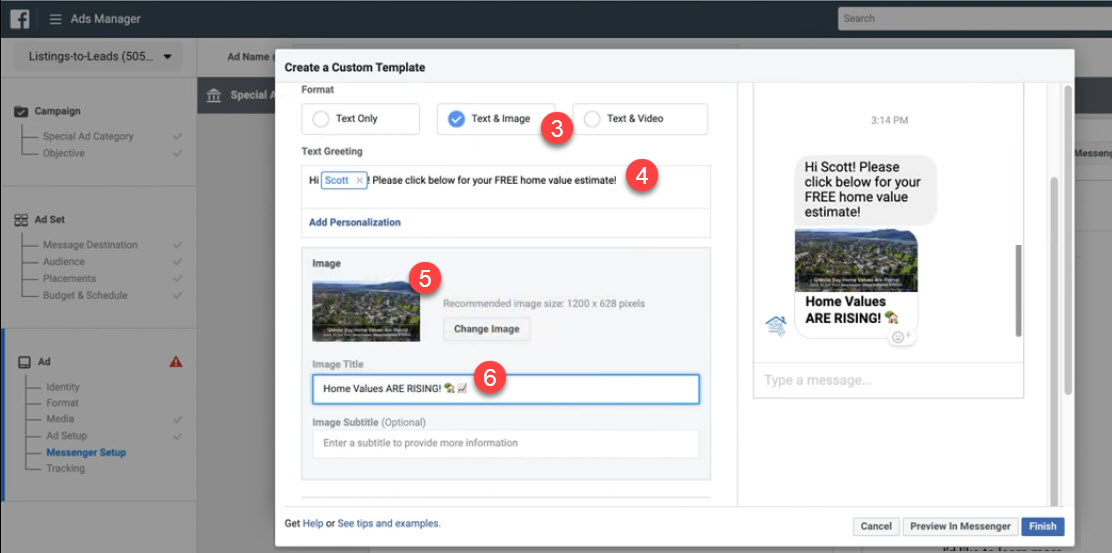
3. Select 'Format' as appropriate. We suggest 'Text & Image'.
4. Edit 'Text Greeting' as appropriate.
5. Upload image.
6. Enter an Image Title
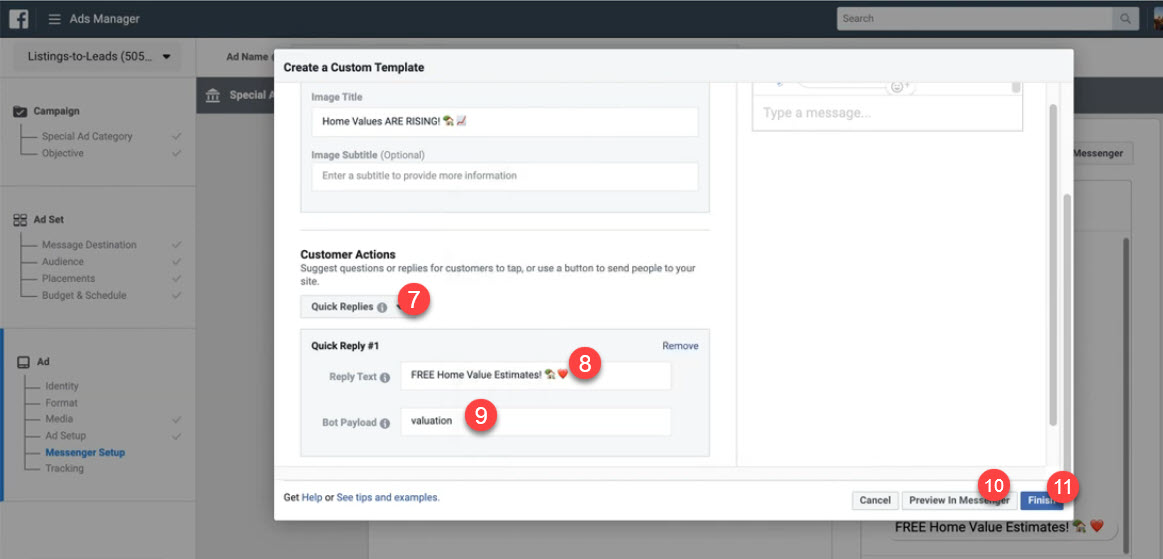
7. Select 'Quick Replies' under 'Customer Actions'
8. Enter appropriate text into 'Quick Reply #1' like 'Get FREE Home Value Estimate!'
9. Click 'Connect Your BOT' text and enter 'buyer' into Bot Payload form field.
10. OPTIONAL: Preview Your BOT in Messenger!
11. Click 'Finish'
12. Click the green 'Confirm' button and your ad will be reviewed and if approved, published by Facebook.
🎬 BOTS for Home Value Ads from Listings-to-Leads!