1. Go to your Facebook Ads Manager, open the campaign you just created, open the ad set and locate the ad that was approved.
2. Click ‘Edit’ to see the Ad Builder.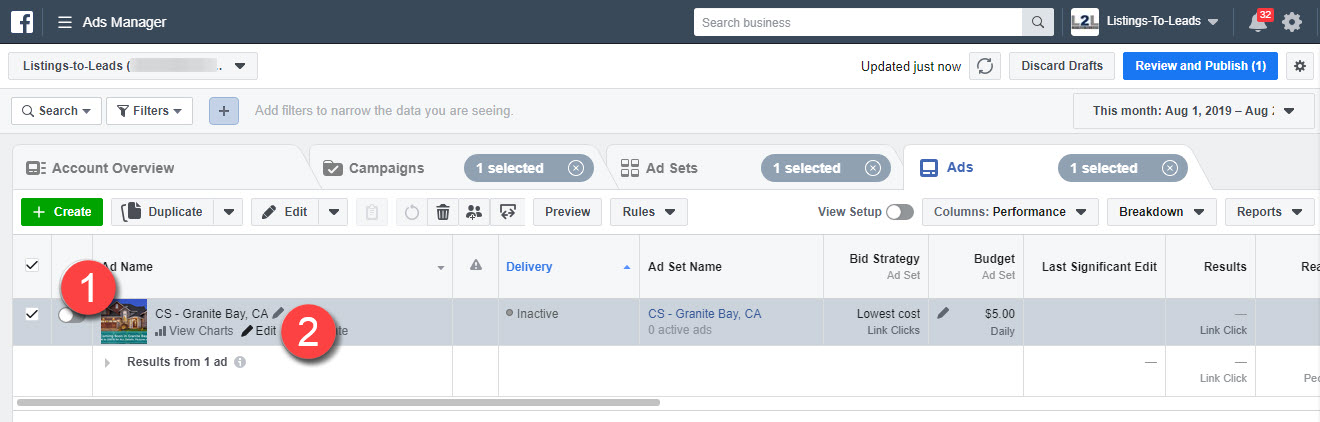
3. Click the ‘Ad Preview’ button.
4. Select the ‘Facebook Post with Comments’ option from the dropdown menu.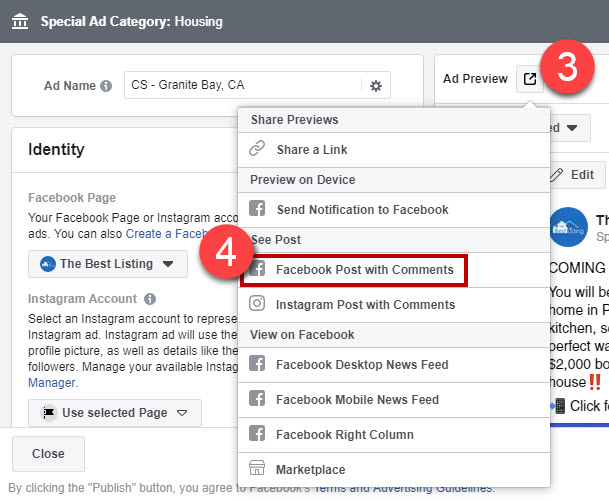
5. The ad will appear in a new tab.
6. Click the image or the ‘Learn More’ button to trigger the BOT.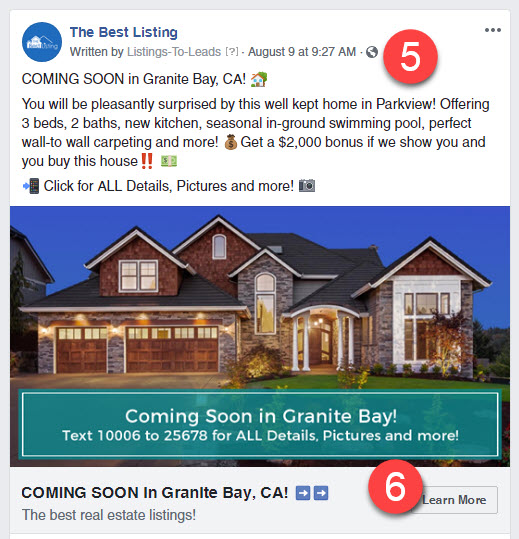
7. You will be redirected to Facebook Messenger. This is what people will see once they click the ad.
8. Click ‘Get Started’ to trigger the Listing BOT.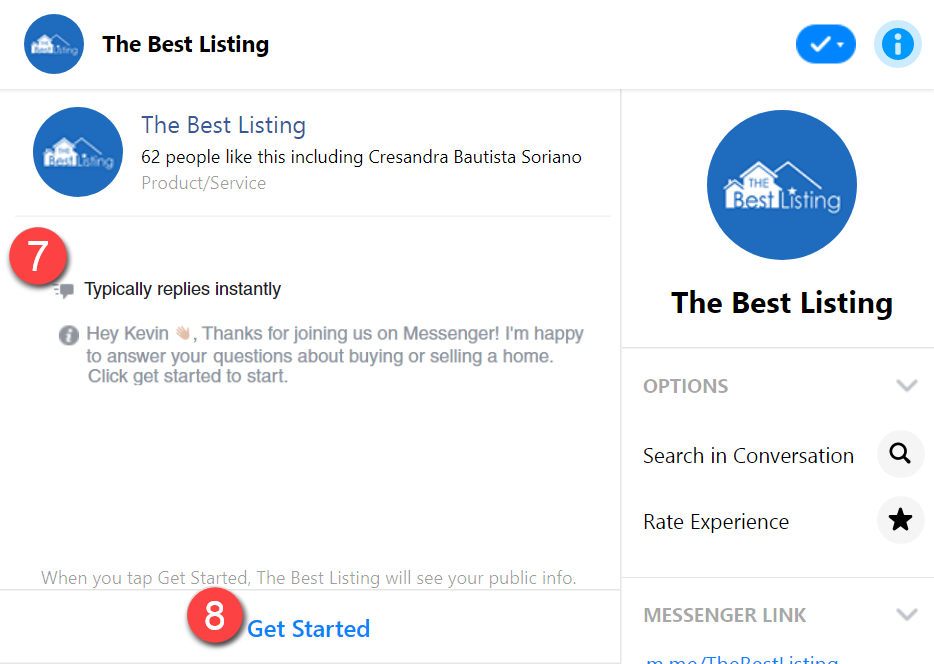
9. The conversation will start and you can test it. This is the same conversation people will receive when they click the ad.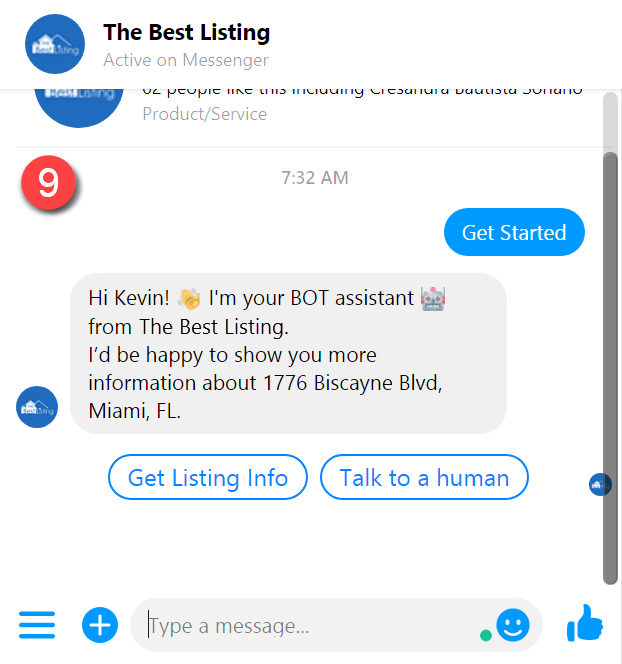
BOT Test - How to test regular BOT ads
