
In this tutorial, you will find how to test the BOTs you already created.
✅ How to test your BOT before creating the ad. See below
✅ How to test your BOT in your Regular FB Ads. Click Here
✅ How to test your BOT in your Messenger FB Ads. Click Here
NOTE: We recommend creating a separate Facebook Page that you can use for testing purposes only, but you can use your Regular Facebook page too. Make sure you have a BOT already created either on the Test Page or your regular page and then follow the steps below:
1. Go to Bots on the top navigation bar.
2. Locate the BOT you want to test and click the View/Eye icon

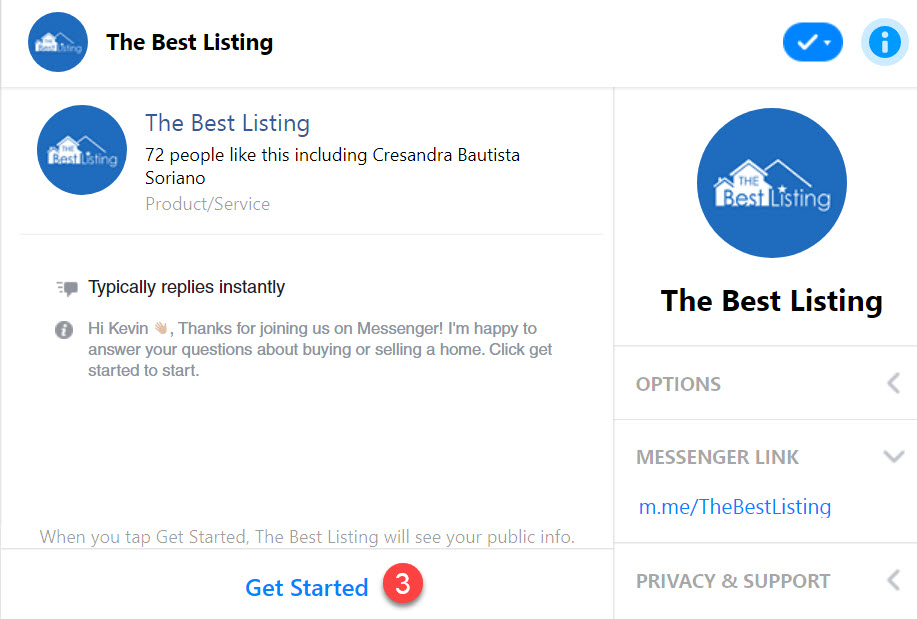
3. You will be redirected to the Facebook Messenger Chat. Click "Get Started" to start testing BOT and the conversation.
4. You can preview the conversation. After you’re done testing, make sure you delete the conversation on Facebook Messenger so you can retest the BOT or another BOT.

5. Follow the steps above to retest the BOT or to test another BOT.