1. Go to the ‘Bots’ tab in the navigation bar.
2. Your Home Valuation Bot will appear in this section, otherwise, you need to create a Home Valuation BOT (Check our ‘How to Set Up BOTs’ tutorial).
3. Click the name of the Facebook page you selected when you created the Home Valuation BOT to copy a link.
4. The link should look like this: “https://m.me/{name of the facebook page}”. Save it because we will use this link when creating the Facebook ad.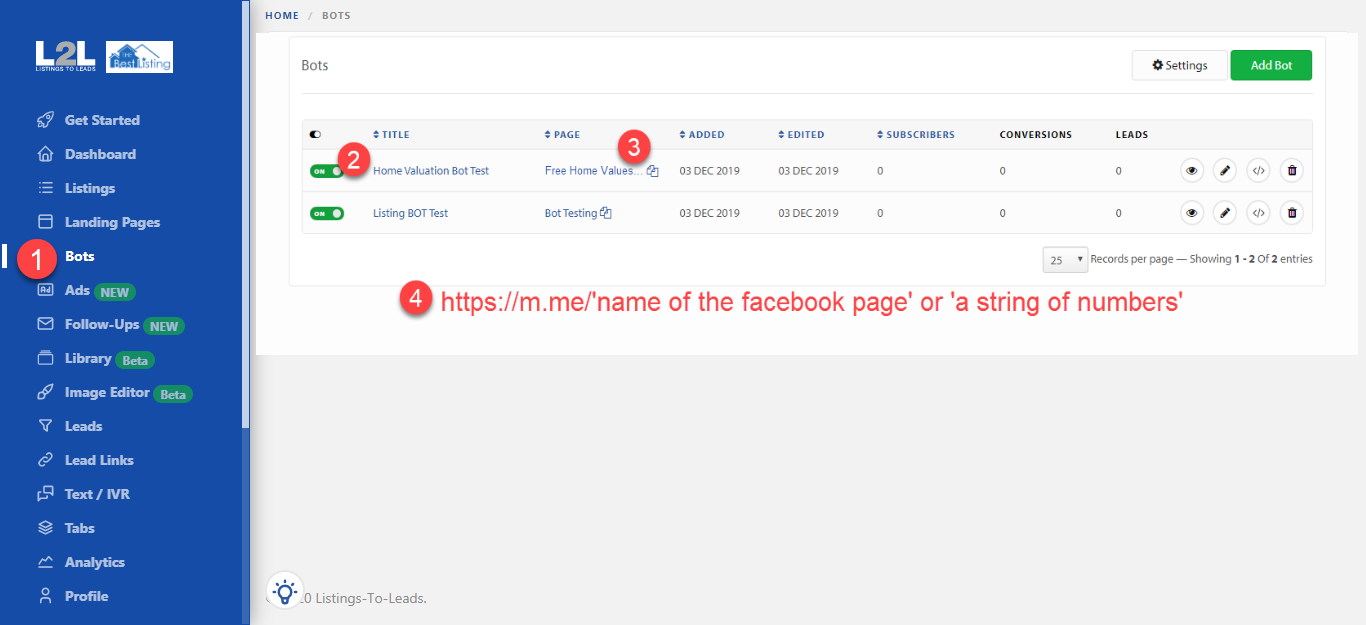
5. Go to your Facebook Ads Manager and click the green ‘Create’ button.
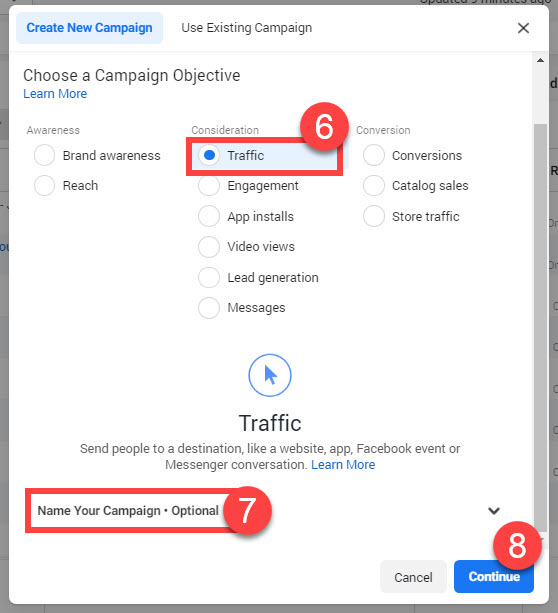
6. Select ‘Traffic’ from the menu.
7. Scroll down a bit and enter the name of the campaign.
8. Click ‘Continue’.
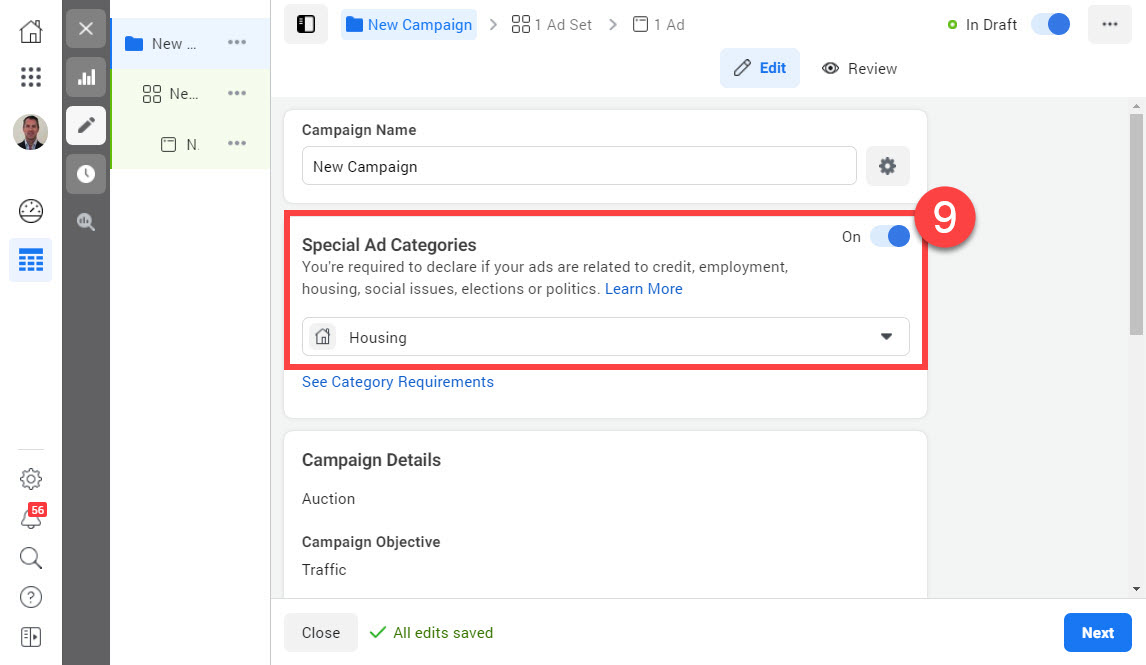
9. Turn ON the ‘Special Ad Category’ option and select the ‘Housing’ option from the dropdown menu. Click ‘Next’
10. Enter the city/area you want to target. Remember that now we cannot adjust the age range, and we can no longer exclude realtors or real estate agents.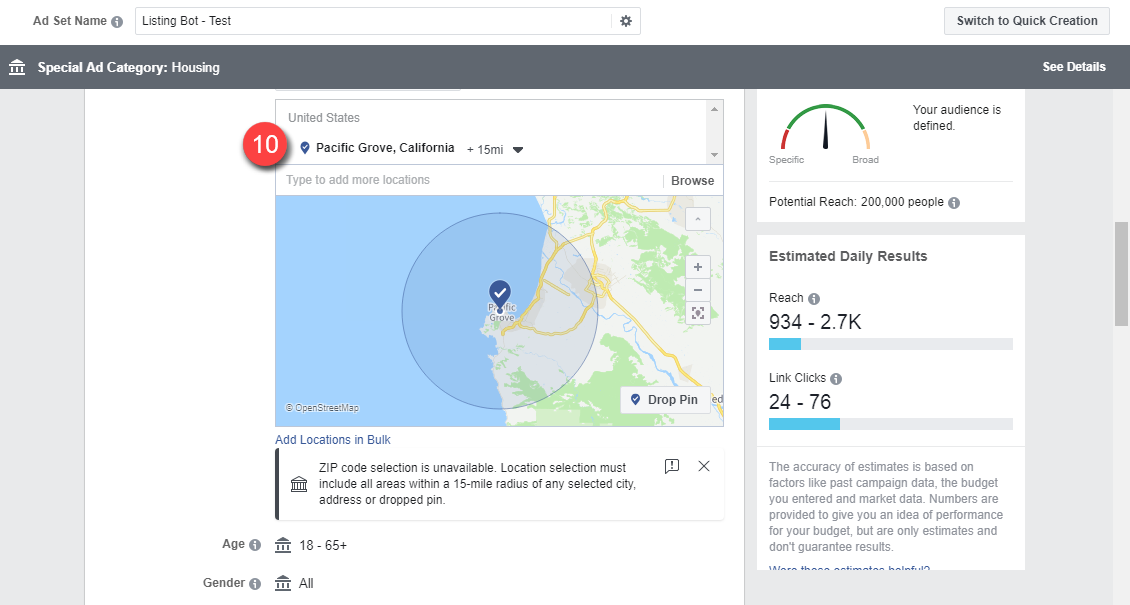
11. Select the budget and schedule.
12. Click ‘Continue’.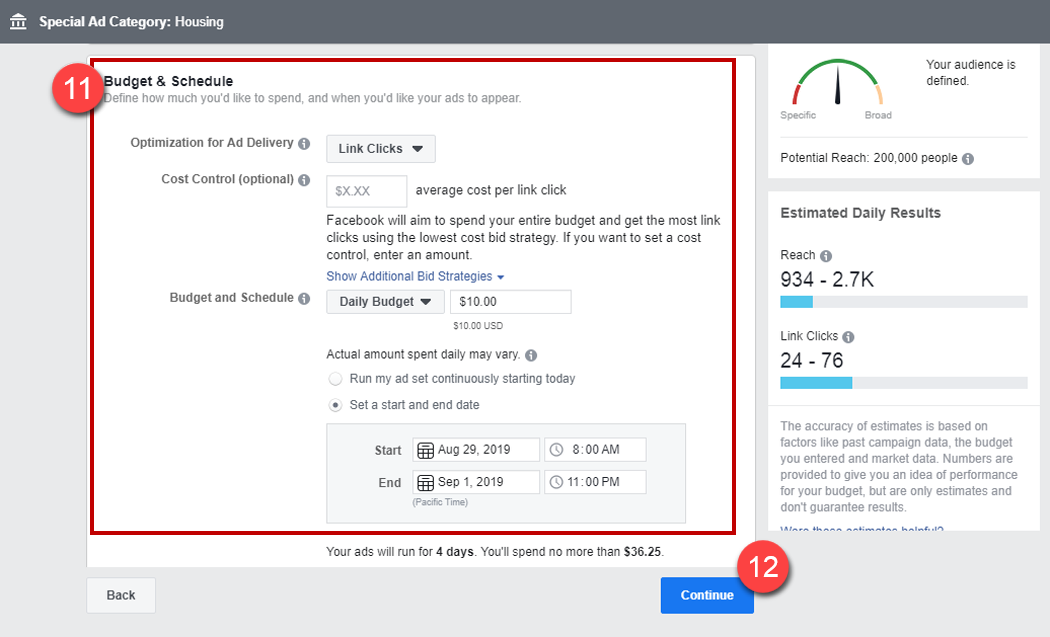
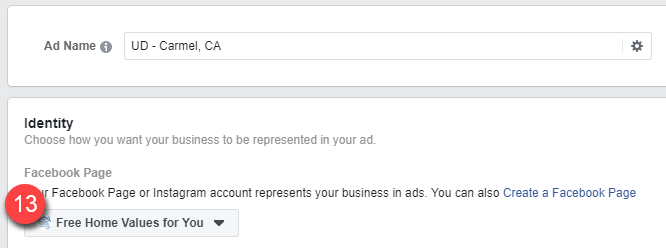
13. Make sure to select the Facebook page that has the Listing BOT already installed.
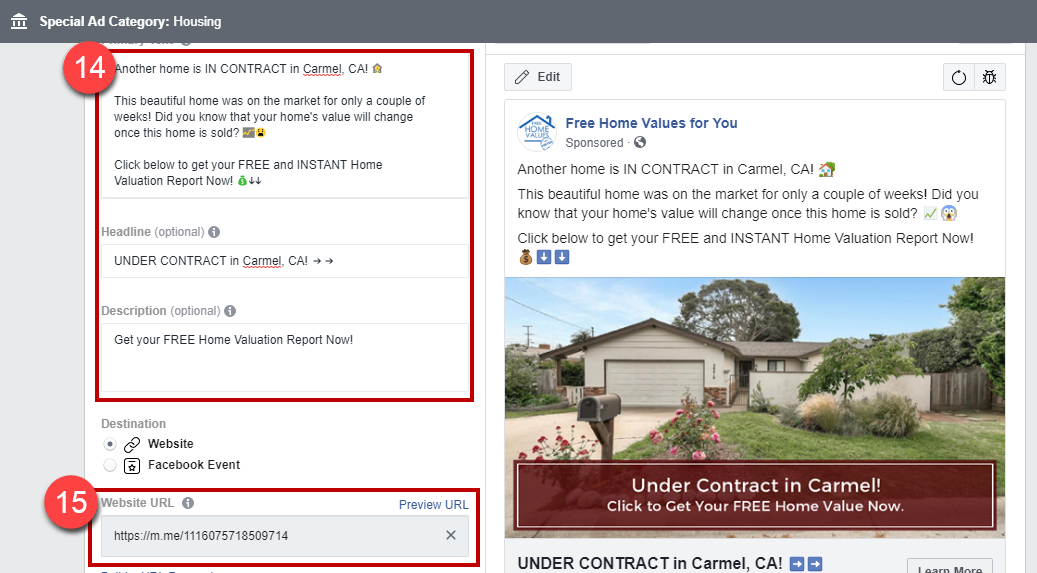
14. Add the description of the ad, the image, and the headline.
15. Paste the URL you copied before (Steps 3 and 4).
16. Finally, click ‘Confirm’